Smart card cloning is easy!
(GSM SIMs)
(GSM SIMs)
The Stages
• Scan the SIM to extract IMSI (just read it!)
and Ki, the 128 bit key (for COMP128-1
only, so far….)
• Now put the IMSI and Ki into some card
software
• And then copy it into a new SIM card
• We now have a cloned SIM
• Scan the SIM to extract IMSI (just read it!)
and Ki, the 128 bit key (for COMP128-1
only, so far….)
• Now put the IMSI and Ki into some card
software
• And then copy it into a new SIM card
• We now have a cloned SIM
First we need to read the SIM
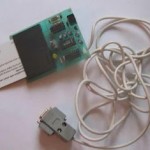
• A small reader, connected to a serial port.
Home made for $5
• A small reader, connected to a serial port.
Home made for $5

Then we need to find Ki
• We need Ki and IMSI, we can use
Simscan from Dejan’s pages that will
break COMP128-1
Simscan from Dejan’s pages that will
break COMP128-1
 Here’s the software
• Simscan ready to go

Now scanning the card
• Searching for the key

Getting there
• The result slowly appears (this one looks
interesting!)
• The result slowly appears (this one looks
interesting!)
 Now we have it!
• This was a SIM supplied to delegates at a
meeting, Ki is a bit obvious isn’t it!
 Now to create the software
• Using some more software from the
Internet called KiSsMi we create the
software for the card
We now need to program the SIM
• We use a single chip PIC computer which
is in a SIM shaped package (GOLD
CARD)
• We use a smart card programmer (easily
bought on the Internet)
• And then we program up the card….
• We use a single chip PIC computer which
is in a SIM shaped package (GOLD
CARD)
• We use a smart card programmer (easily
bought on the Internet)
• And then we program up the card….
The programmer…..
• With the card ready to go

• With the card ready to go
The software for the programmer
• Just load in the software we created with
• Just load in the software we created with

And we now have a cloned card.