Posted By Maher Bro
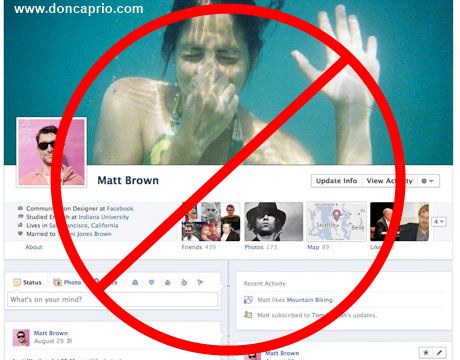
 I am here with a great news for those who hate their Facebook timeline style. I also don't like it so much. Great news is from now you can completely remove or deactivate your timeline.
Some days ago I wrote another post about the same topic. But, then that trick wasn't working. That's why I deleted this post. Again I am showing how can I remove or deactivate my timeline style.
Only you need to install an add-ons or extension 'Timeline Remove' for your Mozilla Firefox and Google Chrome or IE. At the time of writing this post I was using Mozilla Firefox 11.0 and Google Chrome 17.0.963.79. But I didn't face any problem to deactivate my Facebook timeline. Hope you also wont face any kind of problem. Okay, let me deactivate yours.
At first, click here and download 'Timeline Remove' for your browser.
Now you have to install it in your browser. To install this plugin you need to click an 'Allow' button in Mozilla Firefox and a 'Continue' button in Google Chrome.
Complete installing. Then see your profile. The timeline has gone. Am I right?
Some days ago I wrote another post about the same topic. But, then that trick wasn't working. That's why I deleted this post. Again I am showing how can I remove or deactivate my timeline style.
Only you need to install an add-ons or extension 'Timeline Remove' for your Mozilla Firefox and Google Chrome or IE. At the time of writing this post I was using Mozilla Firefox 11.0 and Google Chrome 17.0.963.79. But I didn't face any problem to deactivate my Facebook timeline. Hope you also wont face any kind of problem. Okay, let me deactivate yours.
At first, click here and download 'Timeline Remove' for your browser.
Now you have to install it in your browser. To install this plugin you need to click an 'Allow' button in Mozilla Firefox and a 'Continue' button in Google Chrome.
Complete installing. Then see your profile. The timeline has gone. Am I right?